
All self-serve billing lives on the Settings page, and payments are handled by our secure payment provider. What you see there depends on your plan — see the plans overview if you are not sure which one you have.
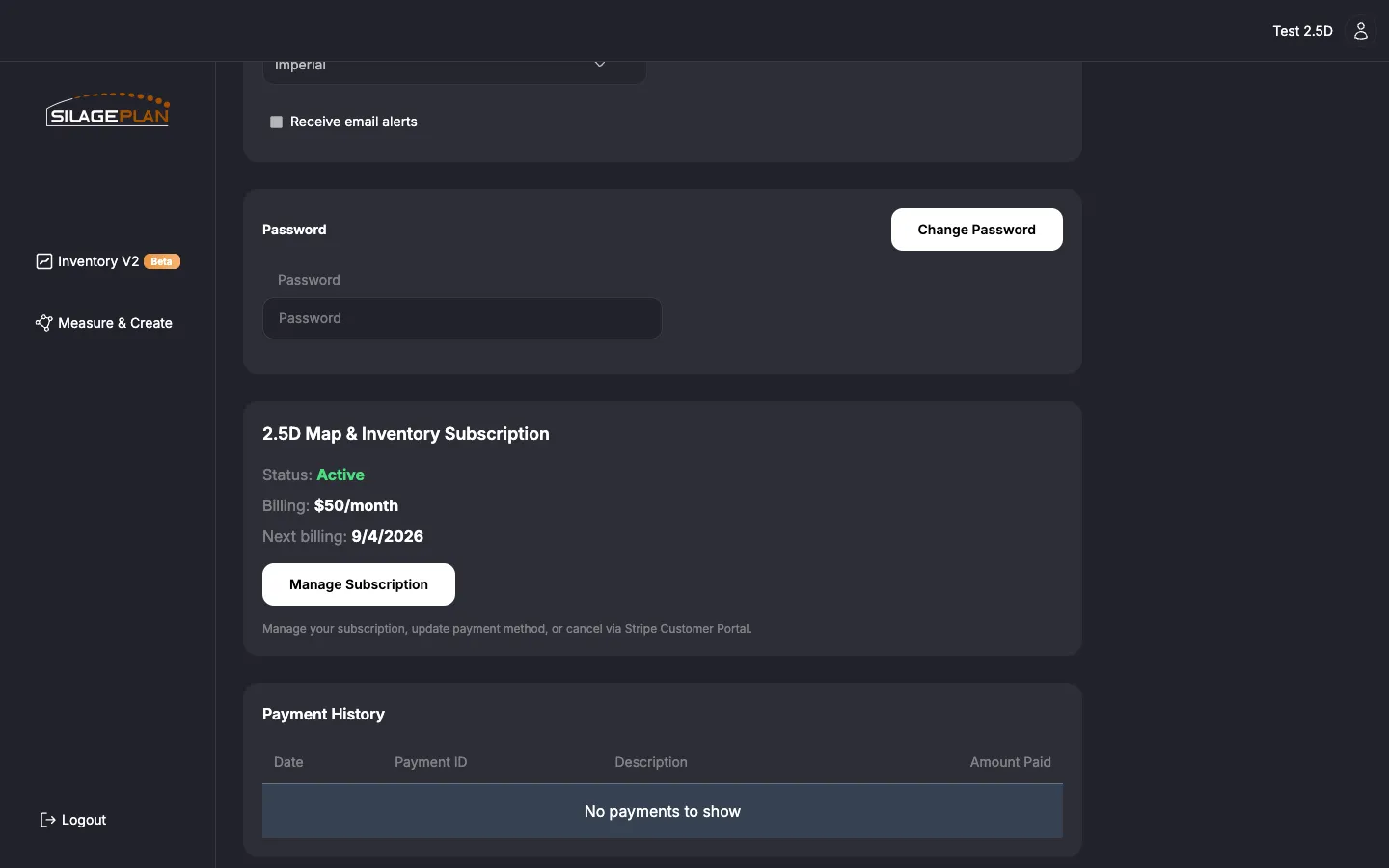
2.5D Map & Inventory subscribers
Open Settings and find the 2.5D Map & Inventory Subscription section. It shows:
- Status — for example, Active.
- Billing — your subscription price and billing period (monthly or annual).
- Next billing date — when your card will next be charged.
Update your card or cancel
- Click Manage Subscription — the button to manage your subscription, update your payment method, or cancel.
- You are taken to the secure billing portal for your account.
- There you can update your payment method, review invoices, or cancel the subscription.
If you cancel, the subscription simply does not auto-renew — you keep access through the end of the paid period, and you can restart later.
Pay-Per-Upload customers
There is no recurring charge to manage. You pay per upload at the time you submit it on the Upload Images page — the button shows the price, for example Pay $X & Upload — and processing starts once payment is verified. Optional add-ons (a Measure & Create 3D model, or shrink measurement) are offered on the upload page and priced at checkout. See How to upload a flight.
Each payment appears in your Payment History (below), so you have a receipt trail per upload.
Payment History
The Payment History table on the Settings page lists every charge with:
- Date — when the payment was made.
- Payment ID — the payment provider’s reference for the charge (include this when contacting support about a payment).
- Description — what the payment was for.
- Amount Paid
Enterprise customers
Enterprise accounts are invoiced monthly rather than billed by card at checkout — there is no subscription section to manage in Settings. Invoices reflect your account’s usage and team seats for the month. Questions about an invoice, your rates, or changing your billing contact go to [email protected].
Common questions
- Charge you don’t recognize? Check Payment History for the date and description, then email [email protected] with the Payment ID.
- Card declined or expired? Update it in the billing portal via Manage Subscription; the subscription retries automatically.
- Switching plans? Plan changes are handled by support — the app directs plan-change requests to [email protected]. To move to Enterprise, contact us and we’ll set it up.
- Need your data before closing an account? Use Download My Data on the Settings page first — see Profile and settings.