
The Settings page is where you manage everything about your own account — profile details, language, units, password, subscription, and your data. Open it from the user menu in the top-right corner (the person icon), then choose Settings.
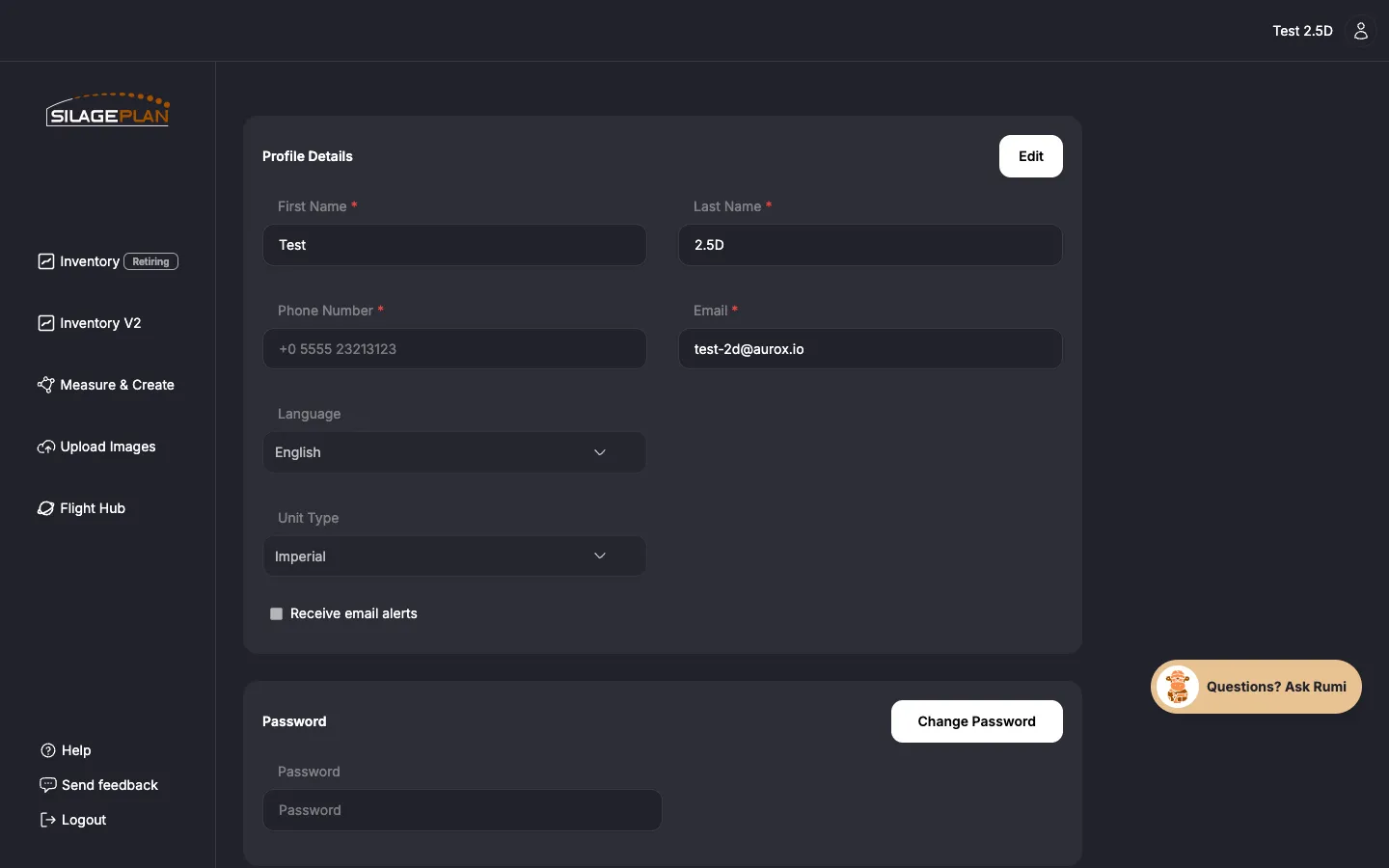
Profile Details
The Profile Details section holds your personal information:
- First Name and Last Name
- Phone Number
- Email — the address you log in with and where alerts are sent
- Language — English or Español; the app interface switches when you save
- Unit Type — Imperial or Metric
- Receive email alerts — turn email notifications on or off
To make changes:
- Click Edit in the Profile Details section.
- Update the fields you need.
- Save your changes.
About Unit Type
Unit Type changes how measurements display everywhere in the app: volumes in cubic feet (ft³) vs. cubic meters (m³), tons as short tons (2,000 lbs) vs. metric tons (1,000 kg), densities in lbs/ft³ vs. kg/m³. Pick the system your team actually feeds with — it affects the Inventory page, forecasts, and Measure & Create alike.
Password
Use Change Password in the Password section to set a new password. If you can’t log in at all, use the reset flow described in Create an account and log in.
Subscription and payments
Depending on your plan, Settings also shows your subscription details and Payment History. For updating your card, cancelling, or Enterprise invoicing, see Managing billing and payments.
Your Data
The Your Data section has a Download My Data option that exports a copy of the data associated with your account. Good practice before making big account changes, and it is yours to keep either way.
Delete Account
The Delete Account section permanently removes your account. Because this is irreversible, you must enter your password and type DELETE to confirm.
Before deleting:
- Use Download My Data to keep a copy of your records.
- If you have an active subscription, cancel it first via Manage Subscription (see Managing billing and payments).
- On an Enterprise team? Talk to your account admin instead — your access and role are managed by them (see Team roles and permissions).
If you are deleting because something isn’t working, we’d rather fix it — email [email protected] first.