
Inventory V2 is the recommended way to work with your silage inventory in SilagePlan. It brings everything onto one dashboard-style page: total inventory and value, days remaining per forage, per-day use, dry-matter loss, feed editing, and PDF reports. It appears in the sidebar as Inventory V2.
Getting to your data
Inventory V2 uses three filters in the page header, selected in order: Farm, then Site, then the flight Date. Your selection is remembered between visits. Until you make a selection, a Quick Actions panel offers the common starting points — load existing data, upload drone images, create or copy a flight, or open Measure & Create.
What’s on the page
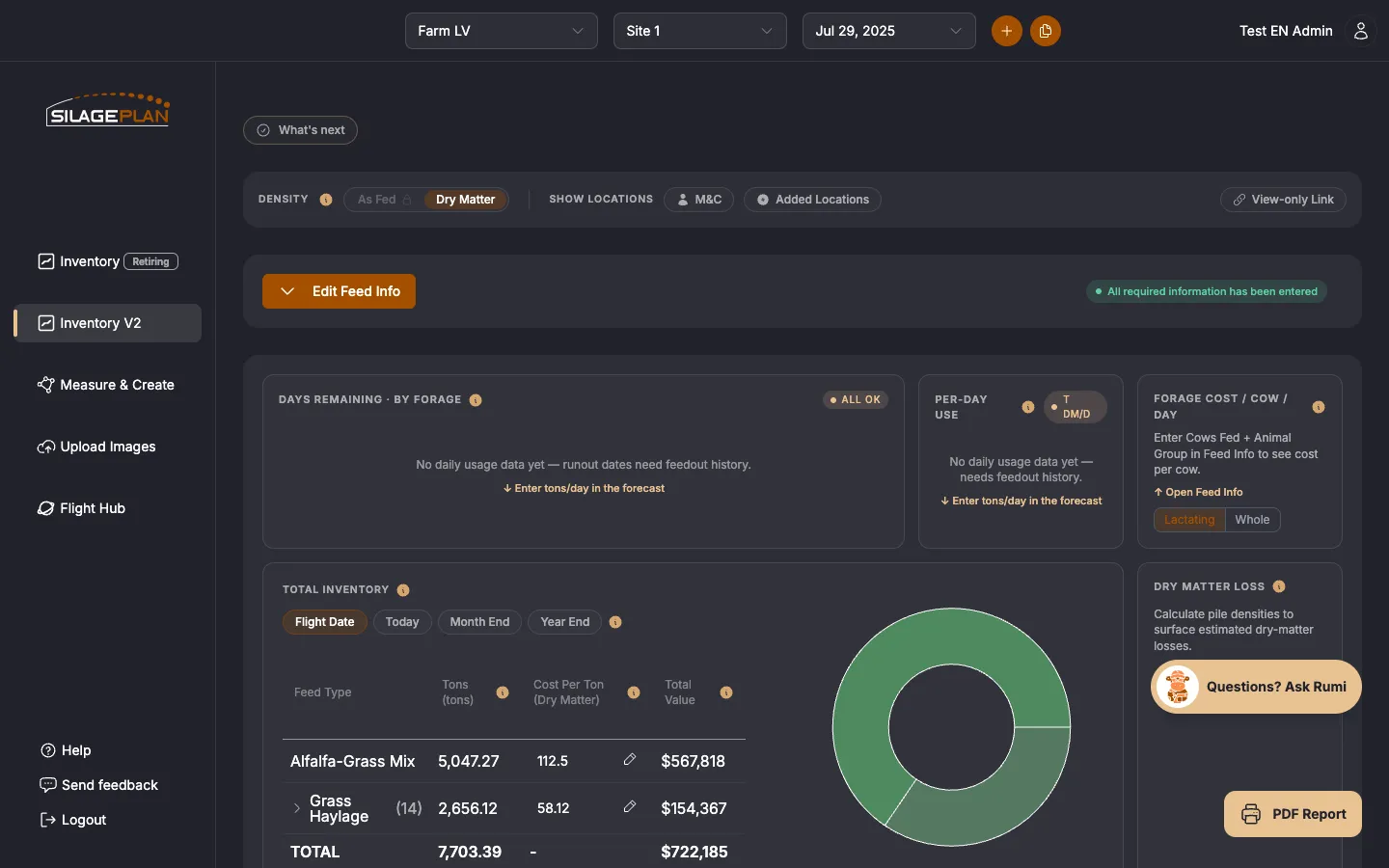
Once a farm, site, and date are selected, the dashboard shows:
- Days remaining · by forage — how long each forage lasts at current feed-out rates, with an All OK indicator when nothing is running low. Runout projections need feed-out history — see Forecasts and runout dates in Inventory V2.
- Per-day use — daily consumption across your feeds, shown in tons per day on the As Fed or Dry Matter basis you have selected.
- Forage cost / cow / day — enter Cows Fed and Animal Group in Feed Info to see cost per cow, with Lactating / Whole herd views.
- Total Inventory — tons, cost per ton, and total value per feed type, with a donut chart of your inventory mix. Switch the horizon between Flight Date, Today, Month End, and Year End to see measured versus projected amounts.
- Dry matter loss — estimated losses, surfaced once pile densities are calculated, alongside a Packing density & shrink section with per-pile detail. See Tracking shrink.
- An Alerts card — automatic warnings when something in your inventory looks off.
- Feed Information — the main editing table for each location. See Editing feed information.
- Below the cards: the forecast tool, your farm images, and the full inventory data table.
Above the dashboard, toggles control the Density basis (As Fed / Dry Matter) and which locations are shown (M&C models and Added Locations).
Reports and sharing
The PDF Report button produces a shareable report of the selected flight, and View-only Link creates a read-only link for a nutritionist or lender. See Reports and sharing.
How it relates to the classic Inventory page
Both pages read and write the same records — there is nothing to migrate, and an edit made on one page shows up on the other. The classic Inventory page remains available (depending on your plan and role you may see one or both in the sidebar), but Inventory V2 is where new capabilities land first and is the experience we recommend for day-to-day work.
Feedback
If something looks off compared to the classic page, or you’re missing a tool you rely on, contact support at [email protected] — feedback directly shapes what ships next.